Guide
The best video review software for videographers and small studios
The best video review software for a small studio is the one your clients use: notes pinned to the frame, no account for the client, versions side by side, and a price that does not climb every time you add an editor. Below is what to check, how seven tools price their paid plans, and how Proofbin handles each point.
Last checked: October 2026. We make Proofbin. Every fact about another tool below comes from that vendor's own pricing page.
What to check
- Who pays for what. Some tools charge per user, some sell plans with a bundle of seats, some charge one price for the workspace. Count your editors, producers and assistants a year from now, not today.
- Client friction. If the client needs an account to comment, expect notes by email instead.
- Notes on the frame. Comments pinned to the exact moment, and a way to draw on the frame, which saves a paragraph per note.
- Comparing versions. You want v2 next to v1 so the client can see that each note was handled.
- Where approved files go. After approval, the file has to end up in your own storage. Check whether that happens on its own or whether someone downloads it and uploads it again by hand.
- Storage you really need. Review copies are small. If approved work moves on to your own drive, you do not need to rent a warehouse inside your review tool.
- What happens around review. Delivery, photos, the calendar and client messages. The more of the job that sits in one place, the less you chase.
How seven tools price their paid plans
| Tool | How paid plans are priced |
|---|---|
| Frame.io | Per member. Pro is $15 per member per month billed monthly, for up to 5 members |
| Wipster | A Light plan priced per month, and a Team plan priced per user |
| Krock.io | A free plan for 1 user, and a Pro plan priced per user |
| Vimeo | Per seat |
| Filestage | Plans include 10 seats, with more added in bundles of 5 |
| Ziflow | Plans include a set of users, with more added in packs of 5 |
| Proofbin | One price for the workspace, $14.99 a month, with unlimited people, clients and portals |
From each vendor's own pricing page, checked October 20, 2026. Sources at the end of the page.
How Proofbin handles each point
- Who pays. One price for the workspace. Your editors, producer, assistant and every client are included, on every plan and during the free trial.
- Client friction. Each client gets one link that keeps working, with their name, logo and colors. No account, no password, and they approve without leaving the page.
- Notes on the frame. Notes pinned to the exact frame, drawings on the frame, and voice notes.
- Comparing versions. v2 side by side with v1, or a wipe over the same frame, with the earlier notes alongside.
- Where approved files go. When a client approves, the cut is copied on its own to the Google Drive folder you picked for that client, at the size you delivered it, by the next morning. A client can connect their own Google Drive or Notion from their link. No downloading and uploading by hand.
- Storage. $14.99 a month covers 10 hours of video and 200 GB. Proofbin Studio is $29.99 a month for 20 hours and 500 GB, and never stops: above the plan you pay $1.50 an hour and $0.05 a GB.
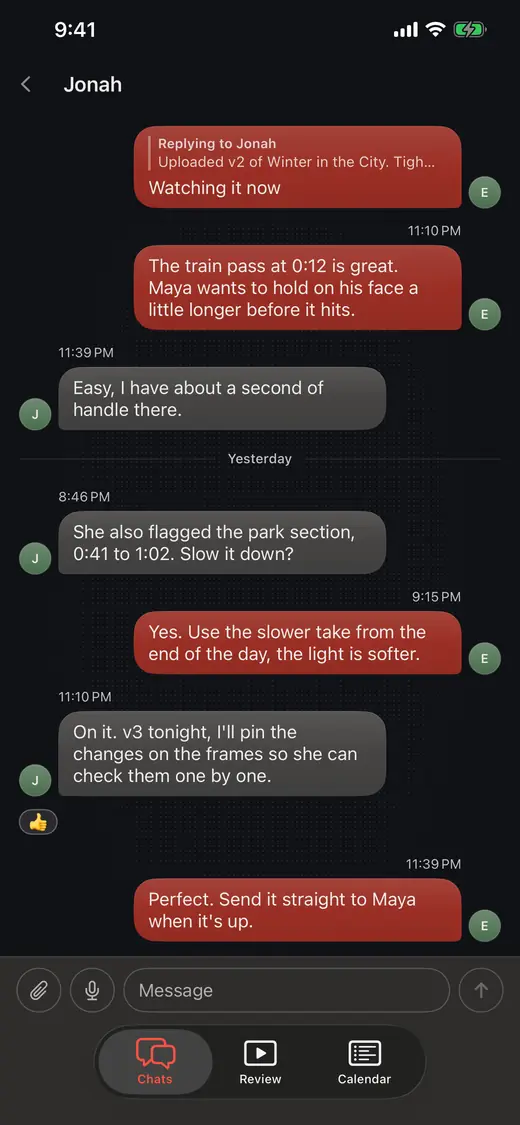
- Around the review. Photo galleries from the same client link, a calendar where dragging a job moves its due dates, chats and tasks on every job, and an iPhone app.

If you are weighing Proofbin against the best known name in the list, we wrote a full comparison with Frame.io.
Sources
Each vendor's own pricing page, read on October 20, 2026.
- Frame.io: frame.io/pricing
- Wipster: wipster.io/pricing
- Krock.io: krock.io/pricing
- Vimeo: vimeo.com/pricing
- Filestage: filestage.io/pricing
- Ziflow: ziflow.com/pricing
Questions
What is the best video review software for a small studio?
The one your clients will use without help and your budget can hold as the team grows. Check how paid plans are priced, whether clients can comment without an account, and where approved files end up. For a small studio that sends finished cuts to clients, a flat price with everyone included usually matters most.
Which video review tools are not priced per seat?
Proofbin charges one price for the workspace with unlimited people. Filestage and Ziflow sell plans that include a bundle of users. Frame.io, Krock.io and Vimeo list paid plans priced per member, user or seat, and Wipster prices its Team plan per user. All of this is from each vendor's pricing page as of October 2026.
Do I have to download approved files to back them up?
Not with Proofbin. When a client approves, the cut is copied on its own to the Google Drive folder you picked for that client. You set the folder once per client.
Do my clients need an account in Proofbin?
No. They open the link you send and they are in. No sign up, no password to reset, and they never show up on your bill.
Put one job through it.
Take a job you already have, upload the cut and send the link. The 14-day free trial is enough to run that test, and it needs no card.
More guides
Frame.io, Wipster, Krock.io, Vimeo, Filestage and Ziflow are trademarks of their owners. Proofbin is not affiliated with any of them. Every fact about another product on this page comes from that vendor's own website, checked on October 20, 2026. Plans and prices change, so check the vendor's page before you decide.