Guide
A client portal for wedding videographers
A wedding client portal is one private link where the couple watches each cut, leaves notes on the exact moment, approves, and later finds the final film and the photos. A good one carries their names, needs no account for the couple or their parents, and keeps working after the wedding, so nobody digs through old emails for the film.
Why a portal and not a download link
A download link delivers a file. A wedding film usually needs a conversation first: the couple wants the toast trimmed, a song changed, a cousin added to the dance floor shots. That conversation is where things get lost, across texts, emails and a voice memo from the mother of the bride.
A portal keeps the review and the delivery in one place. The couple sees every version in the same link, their notes sit on the moments they are about, and the final film lands where the first cut was.
From first cut to final film
- Send the portal link once. Send it with the first thing you deliver, a teaser or the highlight film. Everything you add later goes into the same link, so the couple never has to find a new one.
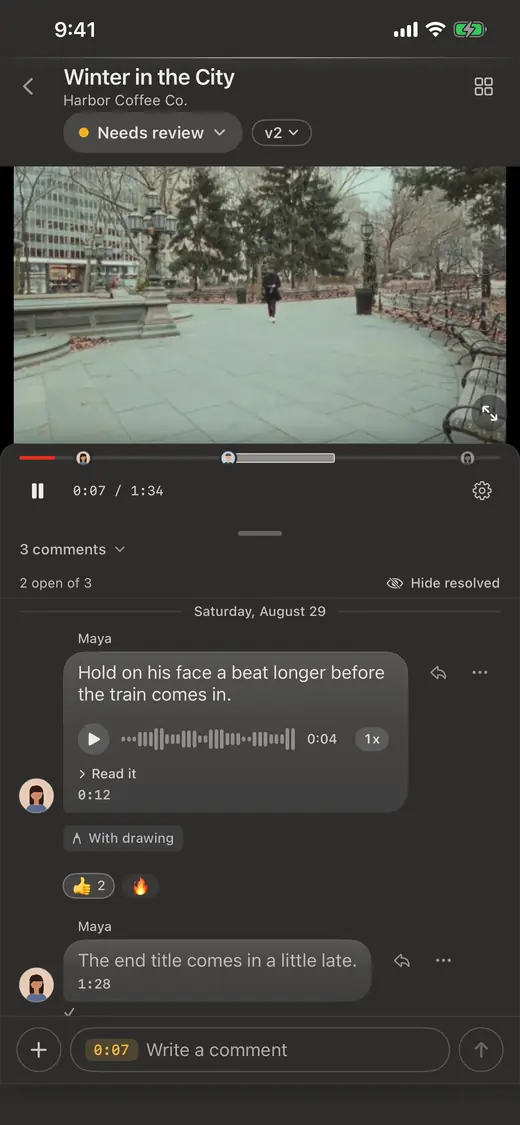
- Ask for notes on the moment. "The part where my dad talks" could be three different minutes. A note pinned on the exact frame, or a circle drawn on the guest they want included, can only mean one thing.
- Agree on who sends the notes. Couples often collect opinions from family. Ask for one combined set of notes per round, from the couple, so you are not editing to five people at once.
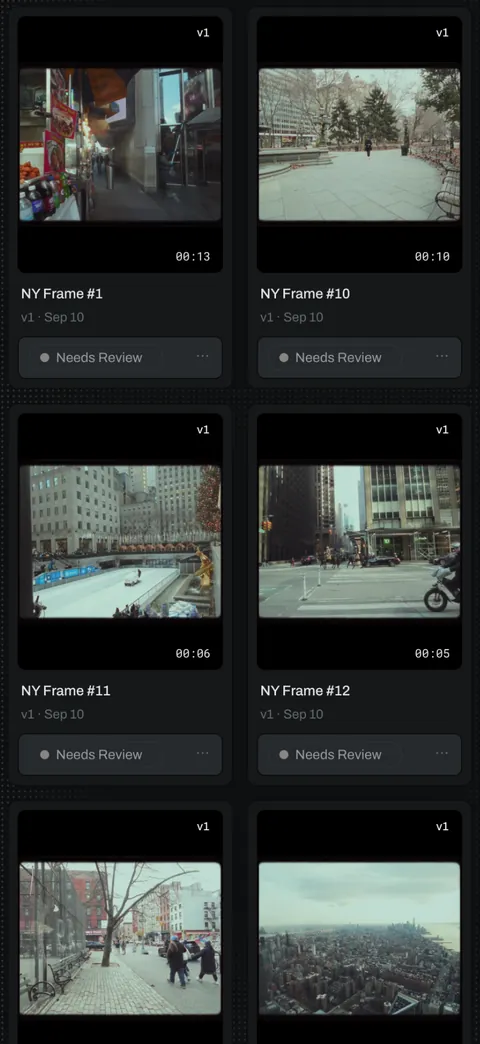
- Upload the new version to the same link. The couple can compare it with the last one and see that each note was handled.
- Get the approval on the page. The couple approves the cut where they watched it. No reply by email, no "looks good" in a text you cannot find later.
- Deliver the photos in the same link. If you also shoot stills, or work with a photographer who hands you the gallery, the photos can sit in the same portal as the film.
- Let the approval file the film. The approved film belongs in your own storage, in that couple's folder, because couples come back years later for anniversaries. In Proofbin the couple's approval copies it there on its own, to the Google Drive folder you picked for them, with no downloading and uploading by hand.
What the couple and their families should see
- Their names on it. The page should read as their wedding, not as a file share.
- No account to make. Parents and grandparents open a link. Asking them to sign up and confirm an email is where the film stops getting watched.
- Video and photos together. One link to save, one link to send to the family.
- Privacy until they say so. The film should not be something anyone can pass around before the couple has seen it.
How it works in Proofbin
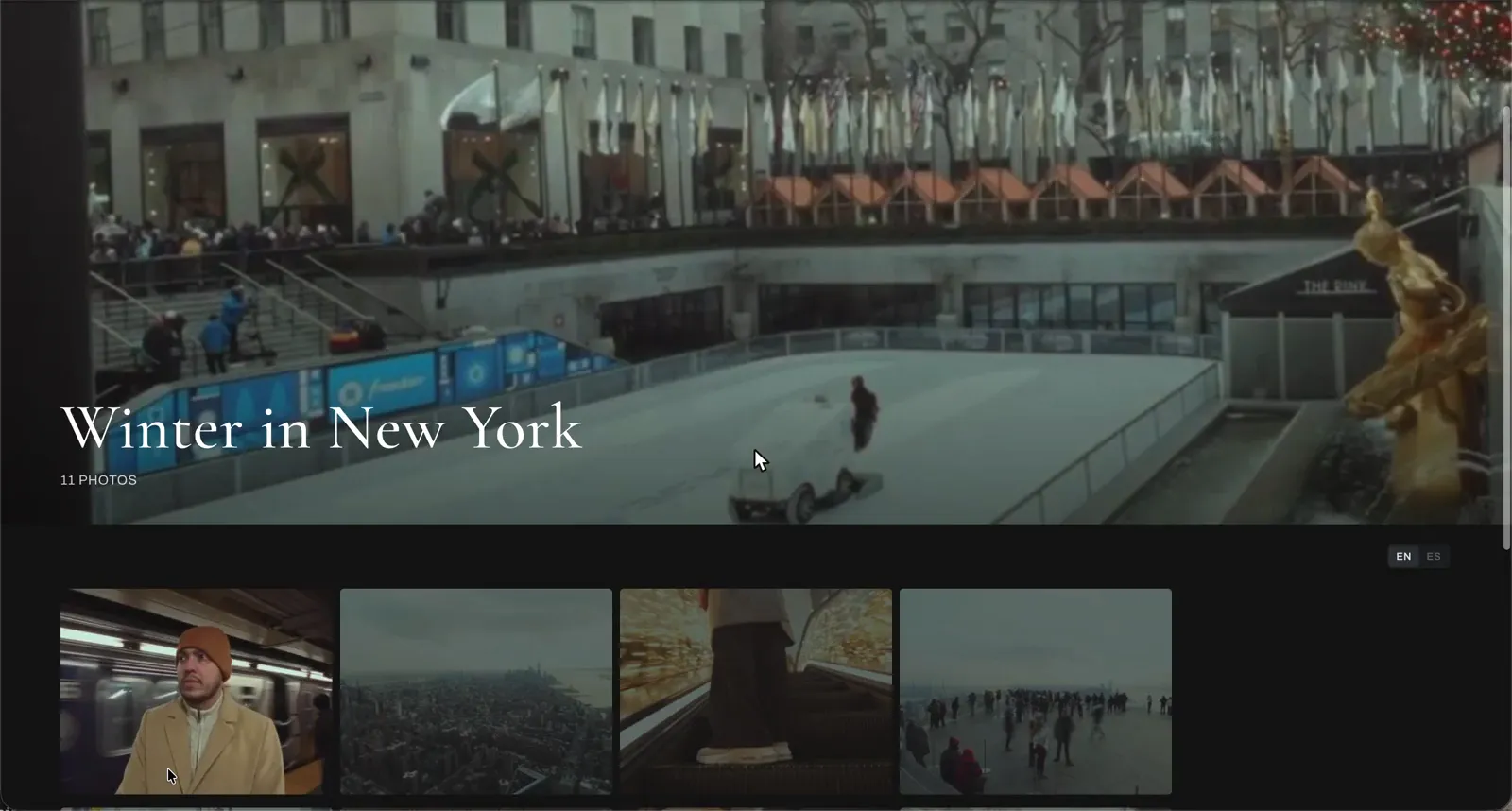
In Proofbin each client gets one portal link that keeps working. It carries the client's name, logo and colors, so for a wedding it reads as the couple's page. Nobody needs an account or a password. The couple leaves notes on the exact frame, types them, draws on the frame or records a voice note, and approves without leaving the page.
The cut only plays inside the portal you sent, so copying the address does not pass the film around, and nothing is public until your client says so. Turn the couple's folder into a photo gallery and the stills are delivered from the same link, full screen, and you decide if they can download the originals.
Behind the portal, every approved cut is copied on its own to the couple's folder on your Google Drive, by the next morning. If the couple wants their own copy, they can connect their own Google Drive from their link. Your editor, second shooter and assistant are all included in the price.
Questions
Do the couple and their parents need an account?
No. They open the link you send and they are in. No sign up, no password to reset, and nobody they share it with in the family adds to your bill.
Can guests find the film before the couple approves it?
Not by copying the address. In Proofbin the cut only plays inside the portal you sent, and nothing is public until your client says so.
What happens to the link after the wedding?
It keeps working. You send one link per client and keep adding to it, so the anniversary edit you deliver next year can go into the same portal as the wedding film.
Can I deliver the photos and the film in the same link?
Yes. Turn any client folder into a photo gallery and it is delivered from the same portal as the video. The couple goes through every photo full screen, and you decide if they can download the originals.
Do I have to download the approved film to back it up?
No. When the couple approves, Proofbin copies the film to the Google Drive folder you picked for them, at the size you delivered it, by the next morning. You set the folder once.
Put one job through it.
Take a job you already have, upload the cut and send the link. The 14-day free trial is enough to run that test, and it needs no card.