Guide
What a client portal for videographers should do
A client portal for videographers is one private link per client where they watch cuts, leave notes on the exact frame, approve, and pick up photos and final files. A good one needs no account for the client, carries the client's brand, keeps working for every new job, and ties back to your own calendar and messages.
The checklist
If you are choosing a portal, or deciding whether you need one, these are the things that matter on a real video job.
- One link per client that keeps working. Send it once. The cut you upload next month shows up in the same link, so the client never searches their inbox for "the new one".
- No account for the client. Every login you ask for is a reason for them to answer by email instead. The client, their boss and their marketing person should all be able to open it.
- Their brand on it. To a client, the place they pick up the work is part of what they paid for. Their name, logo and colors make it read as their project.
- Review on the frame. Notes pinned to the exact moment, with a way to draw on the frame. A portal that only plays the file sends the notes back to email.
- Versions side by side. So the client can see that each note was fixed without watching the whole cut twice.
- Approval on the page. A clear yes, on the version they watched.
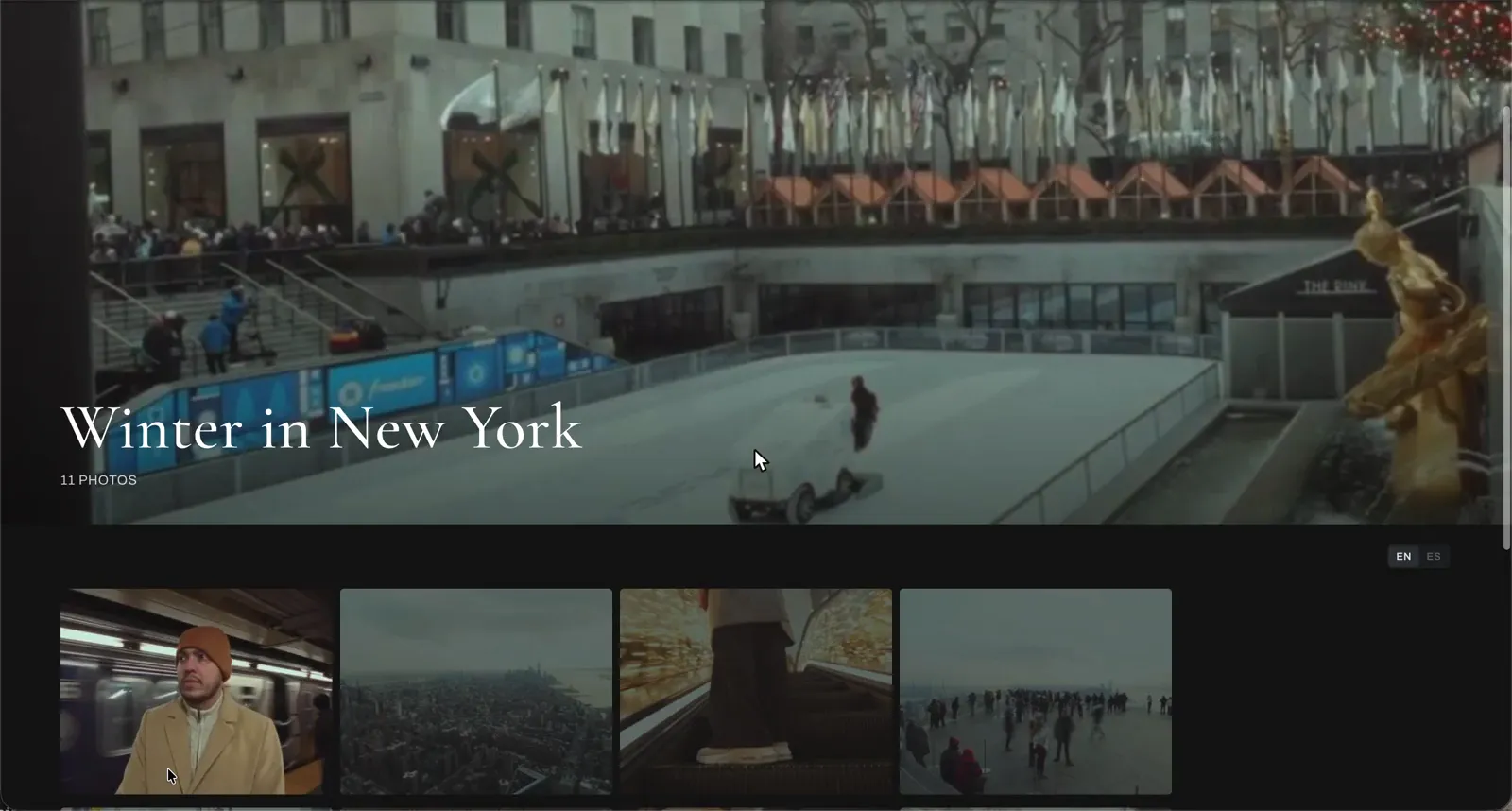
- Photos too. If you shoot stills, they belong in the same link as the video.
- Private until approved. Unreleased work should not be something anyone can pass around by copying an address.
What a CRM portal does, and what it does not
Many videographers already have a client portal inside a CRM or booking tool. Those portals are built around the business side of a job: contracts, invoices, questionnaires and scheduling. They are good at that, and you should keep using one for it.
Where they usually stop is the edit. Check whether yours lets a client pin a note on an exact frame, draw on it, and compare v2 with v1. If it does not, the notes on your cuts are still living in email. A common setup is a CRM for the paperwork and a review portal for the video.
Setting one up in Proofbin
- Add the client. Give the portal the client's name, logo and colors.
- Upload the cut and add it to the portal. It appears in the link you already sent the client.
- Send the link once. The client opens it with no account and no password.
- Collect notes and approval. The client leaves notes on the frame, types them, draws or records a voice note, and approves on the page.
- Add photos. Turn the client's folder into a gallery and it is delivered from the same link.
- Connect your drive. Pick a Google Drive folder for the client, and every approved cut is copied there on its own. No downloading and uploading by hand.
The part the client does not see
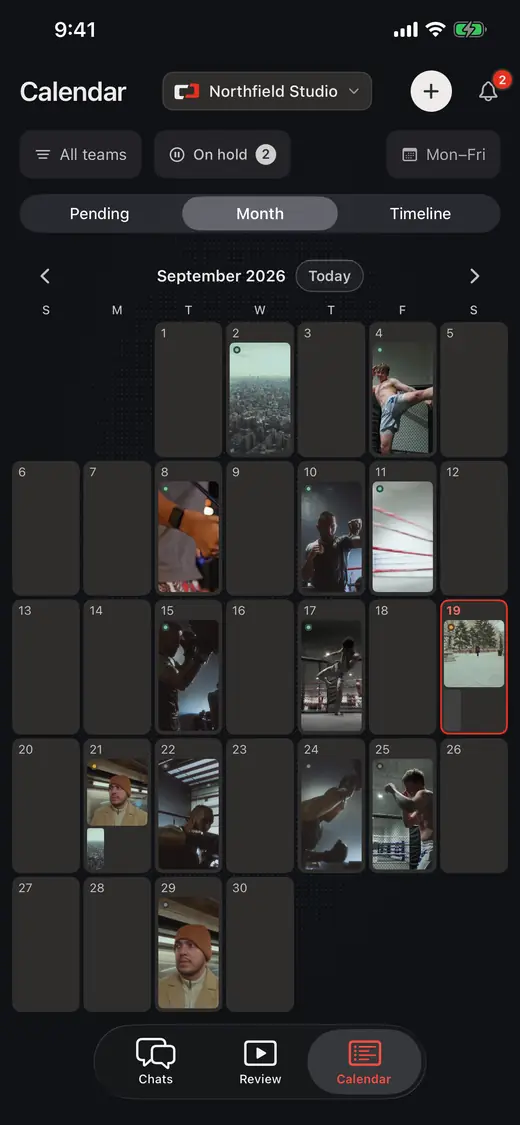
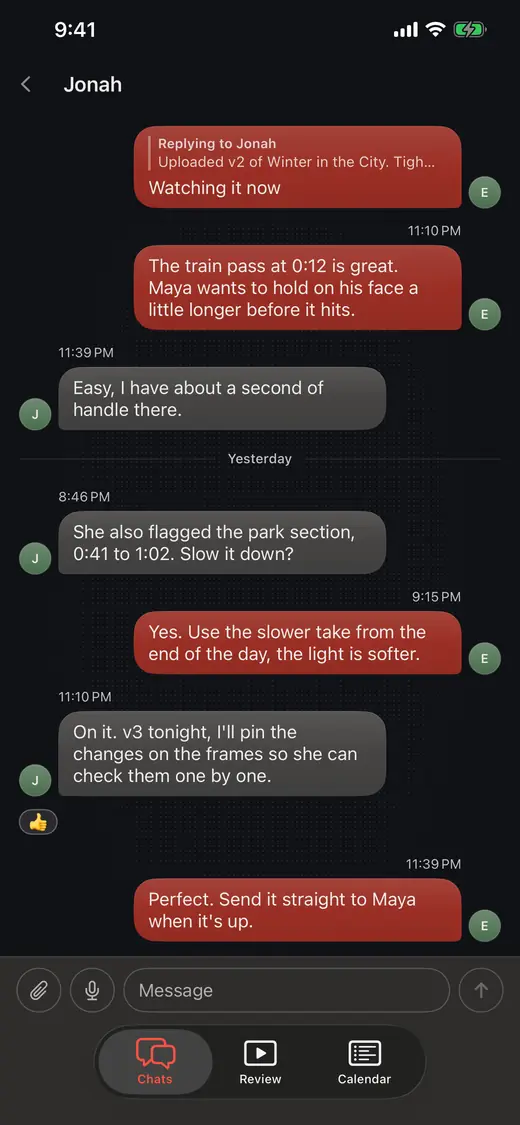
A portal is only as organized as what sits behind it. In Proofbin every job has its own chat and tasks, so a message from the client or your editor stays with the job it is about. Jobs sit on a calendar, and when a shoot moves you drag it to the new day and its due dates move with it. Everyone on your team is included in the price, so the editor and the producer can see the same job you do.
Questions
Do my clients need a login for the portal?
Not in Proofbin. They open the link you send and they are in. No sign up, no password to reset, no invitation lost in spam, and they never show up on your bill.
Can one portal hold many jobs for the same client?
Yes. You send one link per client and keep adding to it. The cut you upload on Thursday is in the same portal you sent them months ago.
Can I deliver photos from the portal?
Yes. Turn any client folder into a photo gallery and it is delivered from the same link. The client goes through every photo full screen, and you decide if they can download the originals.
Where do approved files end up?
Where you keep your work. When a client approves, Proofbin copies the cut to the Google Drive folder you picked for that client, on its own. A client can also connect their own Google Drive or Notion from their link.
Is the portal private?
Yes. Nothing is public until your client says so, and the cut only plays inside the portal you sent, so copying the address does not pass it around. Each client link opens that client's work and nothing else.
Put one job through it.
Take a job you already have, upload the cut and send the link. The 14-day free trial is enough to run that test, and it needs no card.